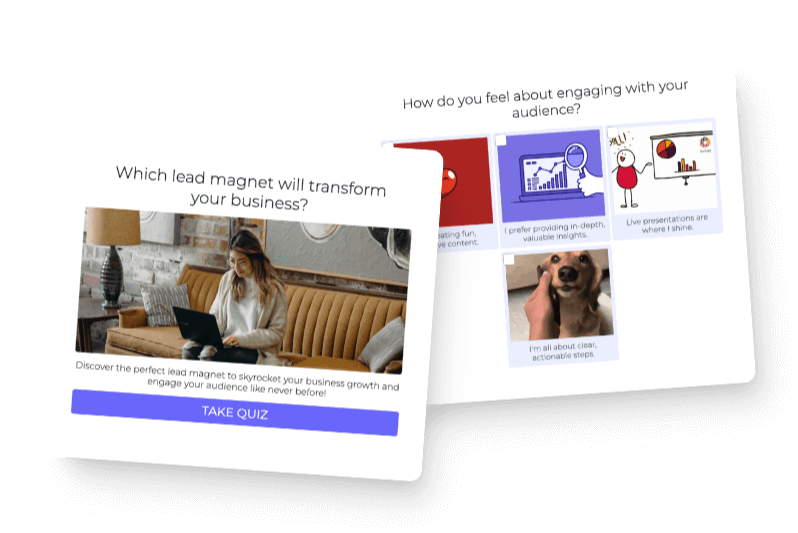

A personality quiz gives different people different answers to the same broad question. One person might discover a career type, another might identify a brand style, and another might receive the product that best fits the way they live. The value is not the label by itself. The value is helping each person recognize what applies to them and decide what to do next.
After helping companies and experts build quizzes for more than a decade, I have found that the strongest quizzes are built backward. You do not begin with a pile of interesting questions. You begin with the answer your audience came to receive, define the possible outcomes, and then ask only the questions that help you choose among them.
That is also how we build Interact quiz templates. We start with a question the audience already asks, choose three to six distinct outcomes, write the Results, work backward into the questions and answers, map every connection, and test the complete experience. The software handles the counting, but the creator supplies the judgment.
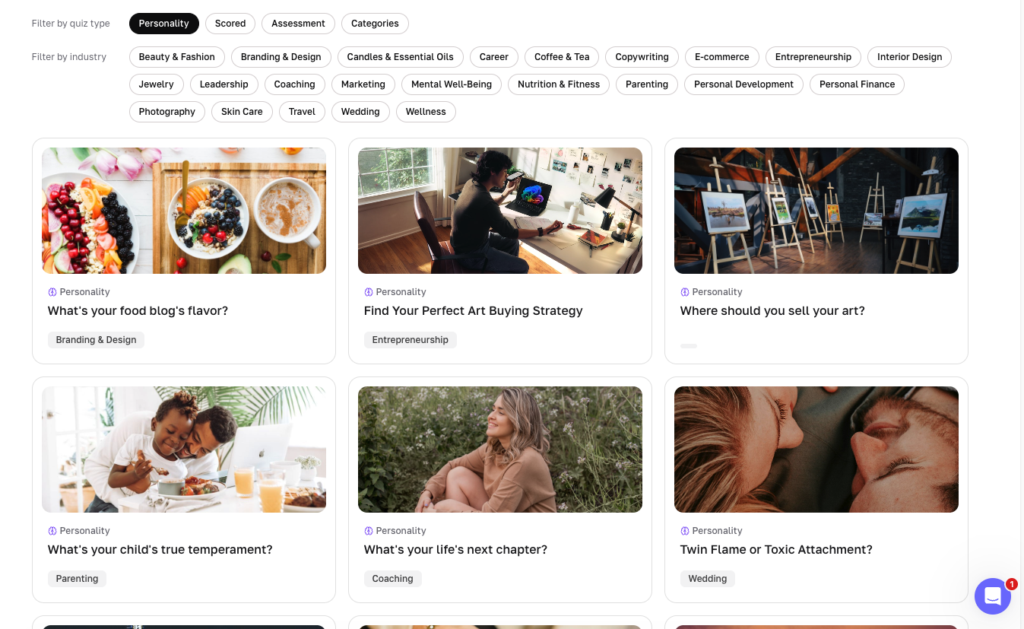
What a personality quiz actually does
In Interact, a Personality quiz connects each answer choice to one or more possible Results. Every selected answer adds one equal correlation to each connected Result, and the Result with the highest total becomes the quiz taker’s top match. These are equal connections, not custom weighted scores.
A personality quiz is the right structure when there is no single correct answer and a person’s pattern of choices should lead to an outcome. The outcome might be a type, style, profile, recommendation, or approach. If every question has a correct answer, use an Assessment. If the total point value should place someone in a range, use a Scored quiz.
You can also use Branching Logic when one answer must change the questions someone sees or guarantee a particular Result. That is useful for hard requirements such as budget, product compatibility, availability, or a safety constraint. Most personality quizzes can begin with correlations and add branching only when the decision truly requires it.
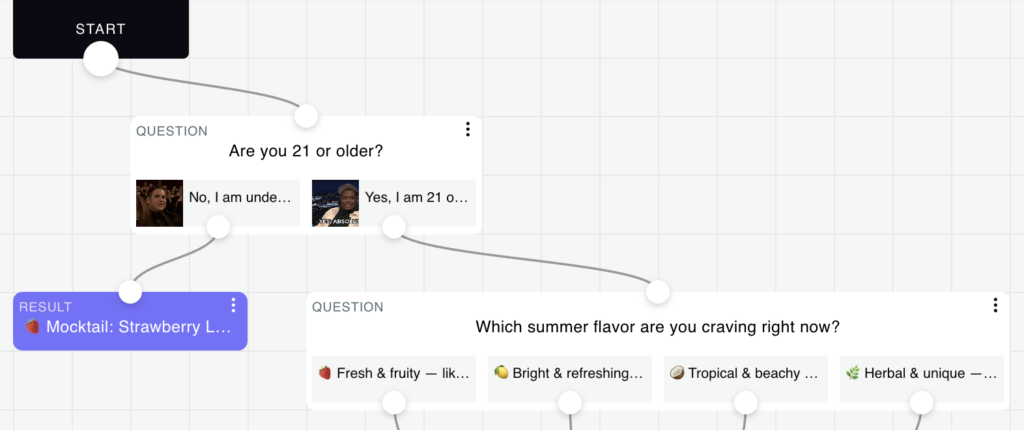
Step 1: Start with the question your audience already asks
A good quiz begins with a question people already bring to you. It may sound like “Which service is right for me?”, “What should I focus on next?”, “What is my style?”, or “Which option fits my situation?” If you repeatedly answer some version of the same question in customer calls, comments, direct messages, or support conversations, you already have the beginning of a quiz.
Write that question in the audience’s language before you think about a clever title. Then write one sentence describing the promise: “This quiz helps [specific person] understand [specific part of themselves or their situation] so they can [useful next step].” That sentence becomes the filter for every outcome and question you add.
The quiz does not need to solve the person’s entire problem. It needs to provide a useful first answer. If the promise is too broad, the outcomes become vague and the questions start collecting information without a clear purpose.
Step 2: Define three to six distinct outcomes
The outcomes are the possible answers to the question your quiz asks. We usually build templates with three to six outcomes because that is enough variety to feel personal without creating so many categories that the distinctions become hard to explain. The exact number matters less than whether every outcome represents a meaningfully different recommendation.
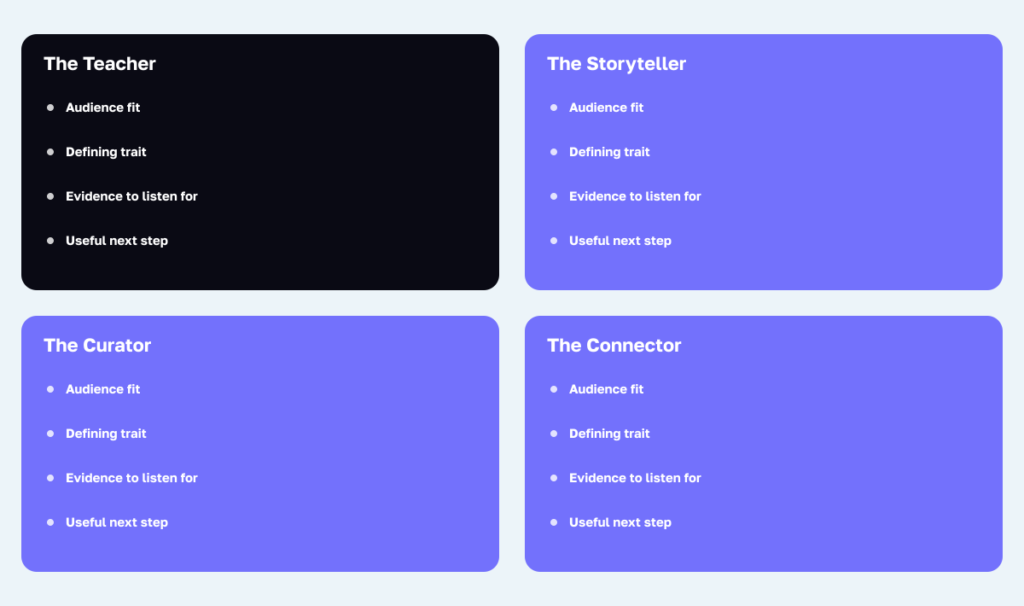
Build the complete set before writing questions. If the quiz asks “What is your content creation style?”, the outcomes might be The Teacher, The Storyteller, The Curator, and The Connector. Together, those four outcomes should cover the useful patterns you see in the audience without forcing people into categories that do not fit.
Ask four questions about each proposed outcome: Who is this for? What makes it different from the other outcomes? What does this person need next? What evidence in their quiz answers would support this Result? If two outcomes produce nearly identical descriptions or recommendations, combine them or sharpen the distinction.
Do not borrow a famous assessment just because people recognize its categories. Names, questions, scoring systems, and frameworks such as Myers-Briggs may involve intellectual property or licensing restrictions. Create an original quiz from your own expertise unless you have permission to use an established instrument.
Also be clear about what the quiz can support. A marketing personality quiz is not automatically a validated psychological assessment, medical diagnosis, or professional evaluation. If the topic affects health, safety, employment, credit, or another consequential decision, involve qualified reviewers and avoid presenting an informal quiz as more authoritative than it is.
Step 3: Write the Results before the questions
Inside Interact, outcomes are called Results. Writing the Results first forces you to define the answer before you design the route to it. It also prevents a common problem where a creator writes ten enjoyable questions and later realizes the answers do not support a useful conclusion.
For our templates, each Result uses three parts. First, tell the person what they got and what it means about them. Second, explain why the Result fits by reflecting patterns that should appear in their answers. Third, give them a useful next step, beginning with free guidance and adding a relevant product, service, or resource only when it genuinely fits.
Keep the opening direct and recognizable. A useful first sentence is often 15 to 25 words, written in plain language with “you” and “your.” The complete Result can be one short paragraph of three or four sentences, with more detail available in follow-up content or on a dedicated result page.
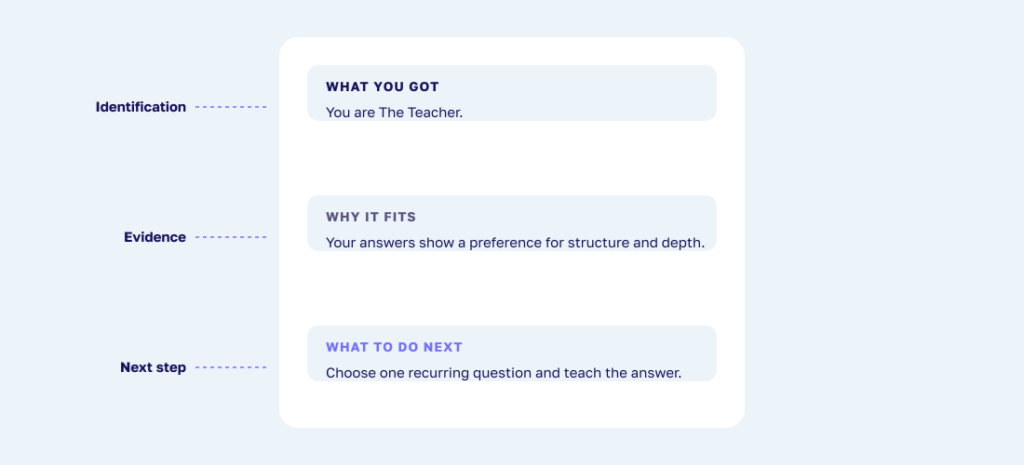
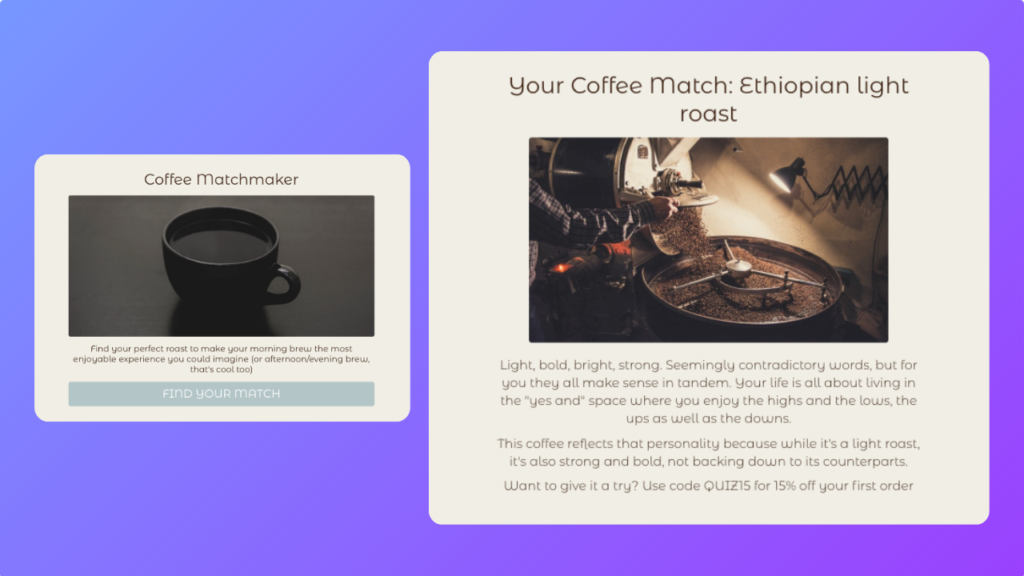
Here is a simple example for The Teacher: “You are The Teacher. You naturally turn what you know into clear steps that help other people make progress. Your answers show that you prefer depth, structure, and practical explanations. Start by choosing one recurring audience question and teaching the smallest useful answer.”
Notice that the description does more than apply a flattering label. It explains the pattern, reflects the person’s likely answers, and offers an appropriate action. That is what creates the “that is me” feeling people want from a personality quiz.
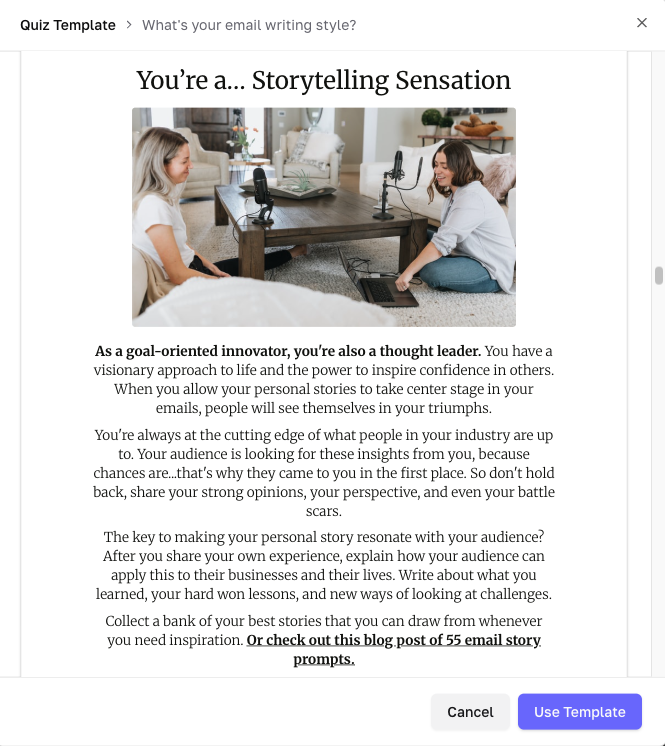
Below you can see this in an example of a personality quiz result template inside of Interact.
Step 4: Write only the questions that improve the outcome
Our template process usually starts with six to ten questions. That is enough for a useful first version in many categories, especially when every question distinguishes among the outcomes. Interact’s current analysis of top-performing standard quizzes points to 13 questions as a useful benchmark, but it is not a rule and should not be used to pad a quiz.
Ask only what changes the guidance you can give. A question can reveal who the person is, what they prefer, or how they operate. Those three lenses produce personal, preference, and logistical questions without making the quiz feel like the same question repeated in different words.
Write questions from real situations whenever possible. “How do you usually prepare for a new project?” is easier to answer than “Which strategic orientation best represents you?” The first question asks the person to recognize their behavior. The second asks them to interpret jargon before they can respond.
![Three question lenses with examples: personal, preference, and logistical.]](https://tryinteract-blog.s3-us-west-1.amazonaws.com/blog/wp-content/uploads/2025/04/personality-6-question-lenses-1024x358.png)
Keep each question focused on one idea. A question such as “How organized and confident are you when starting a project?” combines two traits that may not move together. Split it or decide which trait actually helps determine the Result.
Question variety should come from exploring different parts of the decision, not from adding novelty for its own sake. If a question does not change the outcome, personalize a recommendation, or provide information you have a clear reason to collect, remove it.
Step 5: Write recognizable, meaningfully different answers
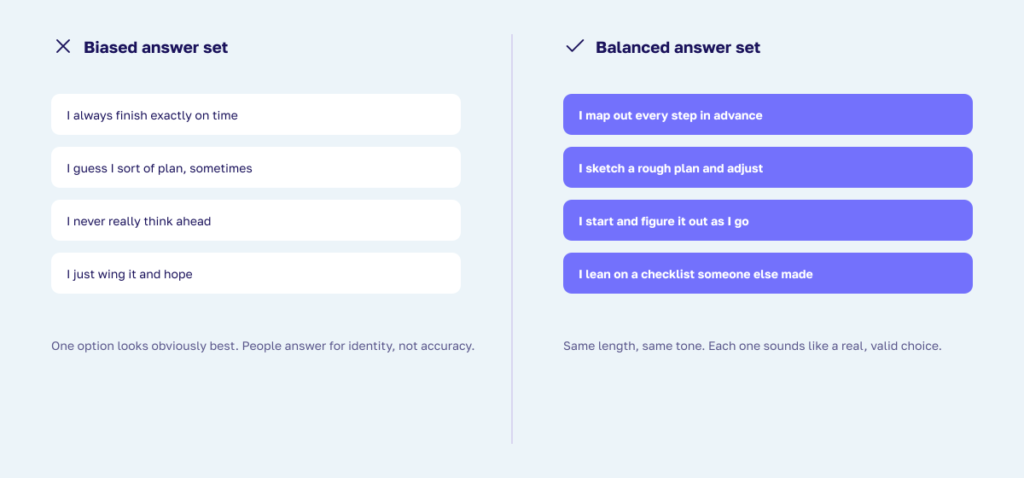
Every answer should sound like something a real person might choose. Avoid one obviously admirable answer and several answers that sound careless or incompetent. When people can see which option makes them look best, they answer for the identity they want to project instead of describing what is true.
A helpful beginner structure is one answer choice for each outcome on each question. With four Results, a question might have four answers that each express one Result clearly. This is a starting pattern, not a requirement. Some answers can reasonably support more than one Result, and some questions may distinguish only two or three outcomes.
Vary the answer order so Result A is not always the first choice and Result D is not always last. Keep the choices parallel in length and specificity. When one answer is a detailed story and another is a single word, the formatting itself can influence the choice.
Use image questions or image answers when the visual itself helps someone decide. A style quiz may work better when people can compare rooms, outfits, layouts, or colors. A career or business quiz may be clearer with text. You can also combine an image question with image answers when the whole decision is visual, but every image still needs a clear purpose, appropriate rights, and accessible context.
Step 6: Map the answer-to-outcome connections
Before entering the quiz in the builder, make a simple matrix. List every question, every answer choice, and the Result or Results that answer supports. This is faster to review than clicking through the builder and makes missing connections, repeated patterns, and structural bias easier to spot.
For example, an answer such as “I like to break a complex idea into a sequence anyone can follow” may connect to The Teacher. “I begin with a personal moment people can see themselves in” may connect to The Storyteller. “I bring the best ideas together and add context” may connect to The Curator.
One answer can connect to more than one Result when the meaning honestly overlaps. In Interact Personality logic, each connection adds one equal correlation. Connecting an answer to two Results gives one correlation to each; it does not split one point between them.
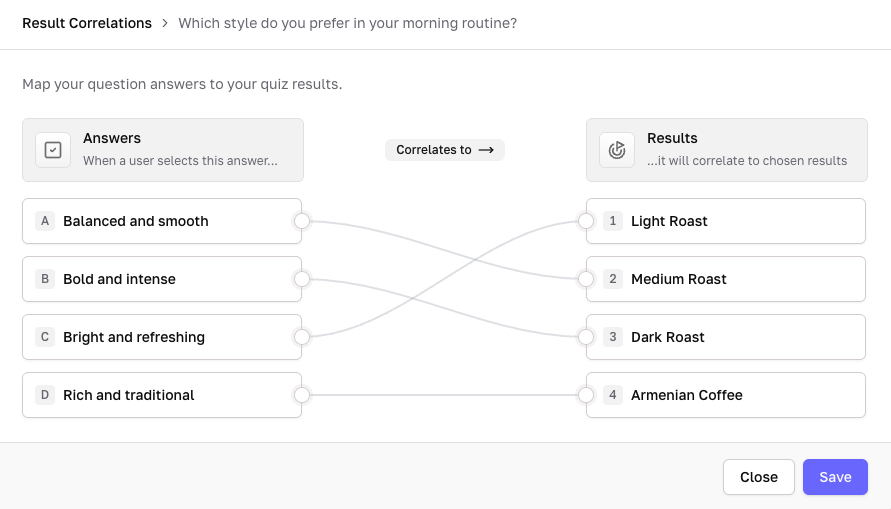
Now total the maximum possible correlations for each Result. If one Result can earn ten correlations and another can earn only five, the first has an unfair structural advantage. Balance does not mean the audience must divide evenly. It means the quiz structure gives every Result a fair chance to appear when the answers support it.
Ties are possible, even when you use an odd number of questions. Test for them deliberately. Add a question that distinguishes two similar outcomes, revise overlapping answer connections, or use a final tie-breaker question. If one answer must guarantee a Result, use Branching Logic instead of trying to force the behavior through ordinary correlations.
The dedicated personality quiz logic guide contains the detailed builder instructions for correlations, multiple-Result mappings, balancing, ties, and testing. Keep this planning matrix as your source of truth while you implement the quiz.
Step 7: Build the quiz in Interact
You can start in three ways: use AI assistance, customize an existing template, or begin from scratch. The starting method changes how quickly you get a first draft, but it does not change the quality standard. Review the audience question, Results, questions, answers, and mapping using the same process before you publish.
If you start from scratch, choose Personality as the quiz type. Add the cover, create the Results, add the questions and answers, then open Result Correlations to connect every answer to its intended Result or Results. Save the correlations and repeat until every answer that should influence the outcome has an intentional connection.
If you use AI or a template, treat the generated content as a draft. Replace generic language with phrases your audience actually uses, remove questions that do not affect the recommendation, and check every answer-to-Result connection. The builder can save time, but it cannot know your audience as well as you do.
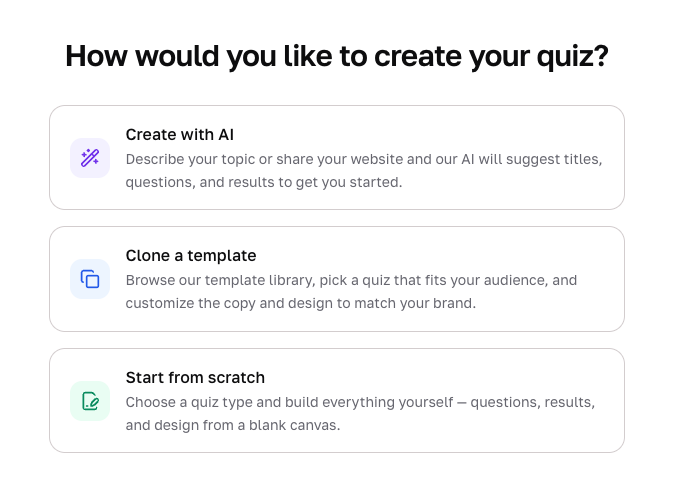
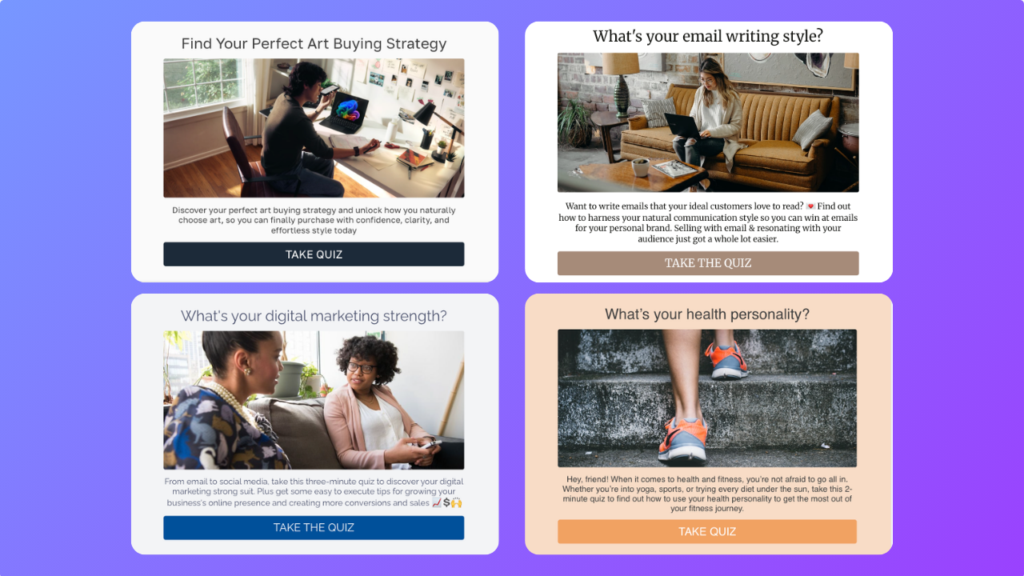
Write a cover title that states the question or benefit clearly. Add a short description that tells the person what they will learn and why it is worth answering. Match the design to your brand, and use current, licensed images only when they improve understanding.
At the time this article was prepared, Interact’s Free plan allows new users to build and publish two quizzes with up to 100 completions per month, collect leads, and export them by CSV. Direct integrations, Branching Logic, Result-page calls to action, landing-page redirects, and broader analytics require a paid plan. Check the current plans page before publishing because plan details can change.
Step 8: Test accuracy before you publish
Create one expected answer path for every Result. Preview the quiz, follow that path, and confirm the correct Result appears. Then test mixed combinations rather than choosing the most obvious answer for the same Result every time.
Look for a Result that appears too often, one that is almost impossible to receive, unexpected ties, answers connected to the wrong Result, and answers with no useful effect. Read the Result after each test and ask whether the explanation matches the answers you selected. A mathematically correct outcome can still feel wrong if the copy does not reflect the person’s path.
Test the cover, questions, opt-in form if enabled, Results, links, redirects, and follow-up automation on both desktop and mobile. Ask a few people from the intended audience to take the quiz without coaching. Their confusion is more useful than a compliment because it shows where the language or logic needs work.
How to use a personality quiz for business
A personality quiz can be useful without collecting an email address or recommending anything for sale. It can help a publication create an interactive story, help a community understand its members, or give an individual a useful reflection. If you are using the quiz for business, add lead generation and product recommendations only after the experience gives the quiz taker a credible answer.
The order matters. First understand the person, then explain what their answers mean, and then offer the next step that fits. When a business begins with the information it wants to collect or the product it wants to sell, the quiz usually feels like a form wearing a costume.
Add lead generation when you can continue helping
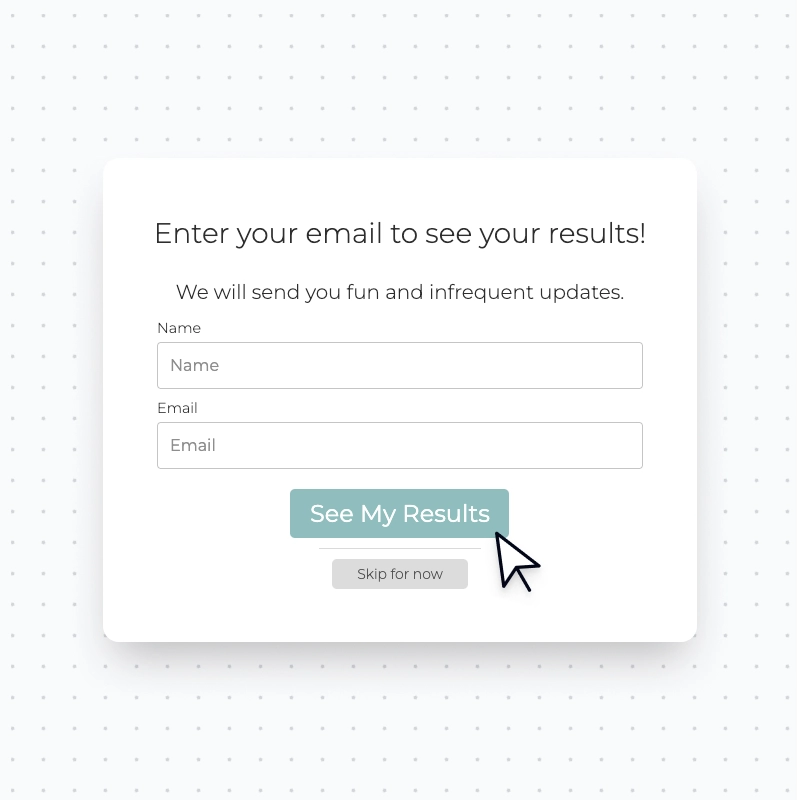
Enable Lead Generation when there is meaningful value you can provide after the Result. The opt-in form appears after the final question and before the Result. Make the invitation specific to the quiz, such as receiving result-based guidance, a personalized resource, or a useful follow-up series.
Tell people what they will receive, whether subscribing is required, and whether they can still see their Result if they skip. Display the privacy-policy link and use the consent settings that fit your audience and legal obligations. Collect only the fields you need.
On the Free plan, leads can be collected and exported by CSV. Paid plans can connect the quiz directly to tools such as ActiveCampaign, Flodesk, Kit, Klaviyo, Mailchimp, and, on eligible plans, HubSpot. Map each Result to the appropriate tag, list, field, or automation so the follow-up reflects what the person actually told you.
Advice With Erin shows this process at scale. Erin McGoff turned recurring career questions into six recognizable profiles and used the Career Quiz to add more than 140,000 subscribers. The lesson is not simply to place a form at the end. It is to earn the opt-in by asking relevant questions and delivering an answer the audience already wanted.
Do not make email the only place where the person can receive the promised answer unless that requirement is clear before they begin. An optional opt-in that offers deeper help can build more trust than withholding the entire Result. Consent and transparency matter more than maximizing a single percentage.
Add product recommendations when an outcome points to a real fit
A personality quiz can recommend products, services, content, courses, templates, or other resources. The recommendation can be the Result itself, as in “Your best-fit template is Classic Minimal,” or it can follow a personality insight, as in “Because you value structure and calm, begin with this planning system.”
Give each Result one primary next step. Explain why it fits using the same traits or constraints the quiz uncovered. On eligible paid plans, add a Result-page call-to-action button or redirect each Result to a dedicated product, collection, service, or resource page.
Use Branching Logic when a hard constraint must override the general personality pattern. A person’s style may suggest one product, but an answer about compatibility, availability, budget, or another requirement may rule it out. Route around that conflict rather than recommending something that cannot work.
TONIC Site Shop’s Template Match Quiz is a good example of an evergreen recommendation experience. It has added more than 80,000 subscribers since its first version launched in 2018, and the quiz has changed as TONIC’s products and customers changed. The stable core is the matching question; the recommendations and implementation can be maintained.
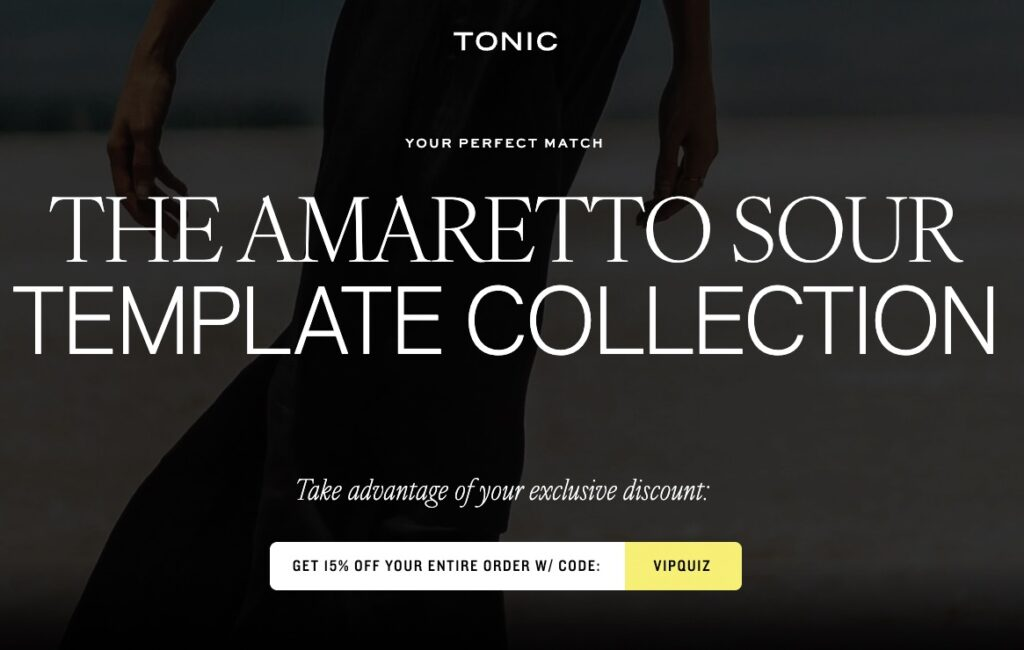
Product recommendations should reduce decision fatigue, not disguise a predetermined sales path. If every answer sends people to the same product, the quiz is not providing a real recommendation. If none of your current offers fits a Result, give that person a useful free resource or an honest next step instead.
Combine lead generation and product recommendations carefully
A business quiz can collect a lead and recommend a product in the same experience. The clean sequence is: ask only relevant questions, offer an explicit opt-in, show the Result immediately, explain the fit, and recommend the next step. Then send follow-up that continues from the same Result rather than dropping everyone into one generic sequence.
This combination works because the business learns what the person needs and the person receives something useful in return. Use the answers to personalize, not to collect every data point that might someday be interesting. The narrower the promise, the easier it is to keep the exchange clear.
Step 9: Publish, distribute, and improve
Publish the quiz before copying its live link or embed code. You can share the direct quiz link or place the quiz on your website using the supported embed method for your platform. Feature it where people are already asking the question, such as your homepage, a relevant article, a product collection, a podcast episode, a social post, or your link in bio.
Watch where people start, stop, opt in, and click next, using the analytics available on your plan. A low start rate often points to the title or placement. A low completion rate can signal unnecessary or confusing questions. A Result that rarely appears may indicate a real audience pattern, but it can also expose unbalanced logic.
Treat the first launch as the beginning of the feedback cycle. Listen to how quiz takers describe their Results, review customer conversations, and update the words, examples, and recommendations. A personality quiz becomes more accurate when it keeps learning from the audience it is meant to help.
Common personality quiz mistakes
- Starting with questions instead of outcomes
- Creating outcomes that sound different but lead to the same advice
- Using vague or judgmental answer choices that people cannot recognize themselves in
- Mapping every first answer to the first Result, every second answer to the second Result, and so on
- Giving one Result more opportunities to earn correlations than the others
- Assuming an odd number of questions prevents ties
- Using a marketing quiz as if it were a validated psychological or medical assessment
- Adding lead capture without explaining what the person is subscribing to
- Recommending the same product or service to every Result
- Publishing without testing every Result, link, redirect, and follow-up path
Personality quiz FAQ
How many Results should a personality quiz have?
Three to six distinct Results is a strong starting range. Use fewer when the decision is simple and more only when the categories produce meaningfully different explanations or recommendations. Do not add outcomes only to make the quiz appear more personalized.
How many questions should I ask?
Start with six to ten questions when building a template or first version, then add only the questions needed to make the Result accurate. Current Interact data points to 13 questions as a useful benchmark for standard quizzes and seven for branching quizzes, but those are benchmarks rather than requirements.
Does every question need one answer for every Result?
No. That is a helpful beginner structure because it is easy to understand and balance, but it is not required. One answer can support more than one Result, and a question can distinguish only some of the outcomes as long as the complete quiz gives every Result a fair opportunity to appear.
Can a personality quiz recommend products?
Yes. The Results can be product recommendations, or each personality Result can lead to a product, service, content resource, or collection that fits the person. Use branching when a hard requirement needs to override a general personality match.
Do I need to collect email addresses?
No. Lead generation is optional. Add it when you can offer relevant follow-up and explain clearly what the person is joining. A useful personality quiz should still deliver the promised insight even when lead capture is not part of the experience.
Can AI build the quiz for me?
AI can draft a title, Results, questions, answers, and an initial mapping. You still need to replace generic language, verify that the outcomes are distinct, check every correlation, test ties, review claims, and confirm that each Result gives accurate guidance. AI shortens the first draft, not the responsibility for the final recommendation.
Can I call my quiz a Myers-Briggs or diagnostic assessment?
Only if you have the rights and qualifications required for that use. An original marketing personality quiz should not borrow protected names, scoring systems, or questions, and it should not imply clinical or professional validation it does not have.
The bottom line
The best personality quizzes feel simple to take because the difficult work happened before publication. The creator defined a clear question, built distinct outcomes, wrote useful Results, asked only what mattered, and mapped the answers carefully.
Build the quiz backward from the answer. Test whether every person can reach the right Result. Then, if you are using the quiz for business, add lead generation and product recommendations in a way that continues the guidance instead of interrupting it.
The goal is not to put people into boxes. It is to understand enough about each person to give them a clearer, more relevant next step at scale.